I’m a bit confused about the reload data function. I’ve built a menu planning app which I will test out before publishing. If one person makes a change to the recipe using the app, do the others see that change? If I make a change via Notion (as in add an entry or update a recipe, not change any structures) do people see an update or do I need the reload button? I’m interested in buying the lifetime thing, but really want to clear up the confusion first. I’m on the free plan currently.
Welcome to the community, @itsallgonepearshaped!
-
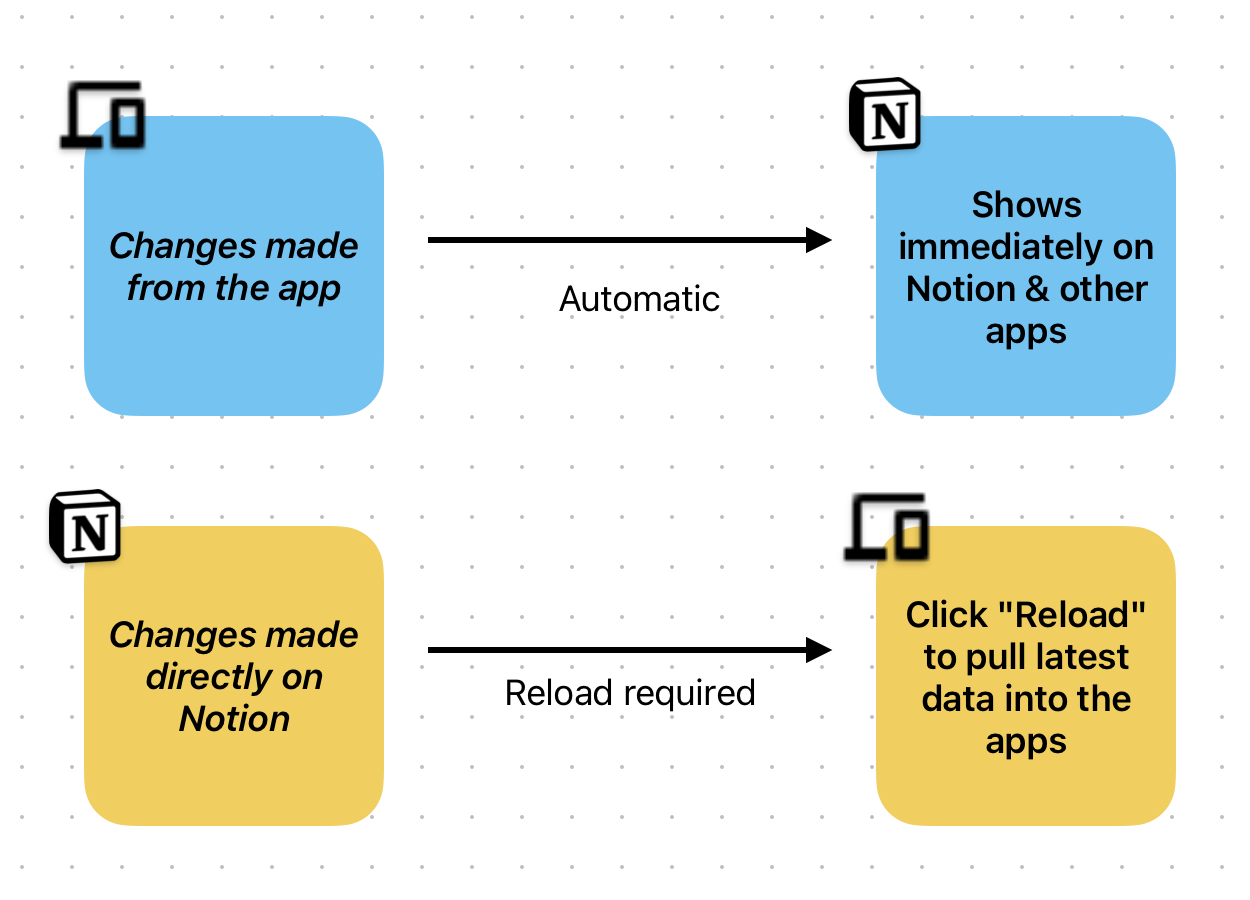
Any changes done by a user directly from the app reflect immediately on Notion as well for the other users.
-
If a change is made on Notion itself, you’d have to click on the “Reload” button in the app builder or enable a Manual Data Reload button to pull the latest data from Notion.
We are working on “Automatic Data Reload” feature, which you can track here.
1 Like
Thanks Jatin. I understand.
Clarifying naming to reduce confusion:
- Sync from Notion (builder) — pulls latest records + property changes into the builder
- Automatic sync (Settings) — scheduled published-app sync (plan-gated)
- Refresh app data (end-user button, when enabled) — refreshes live records in the app
These are three different controls.