The dropdown and multi-select components either show the available options in a dropdown or a separate screen. With this feature, the available options will be shown inline.
Problem
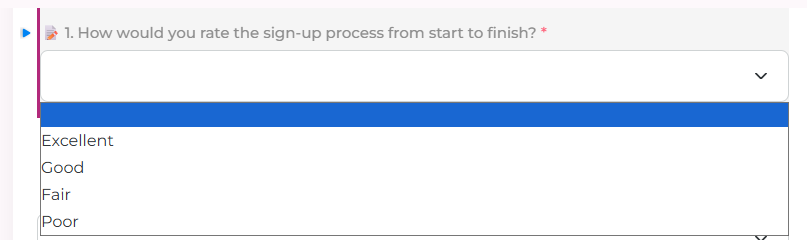
On a form, a Dropdown keeps its choices inside a menu, and a Multi Select opens a separate screen. For a short list, such as a rating of Excellent, Good, Fair, and Poor, the person filling the form cannot see the choices until they open that control.
Who it is for
A maker building a form where a Notion Select or Multi-select field has a short list of options that should be readable on the form itself. Surveys and ratings are the common case.
What happens today
A Dropdown shows one closed field. The options appear only after the menu opens.
A Multi Select shows the chosen values and opens another screen to add or remove options.
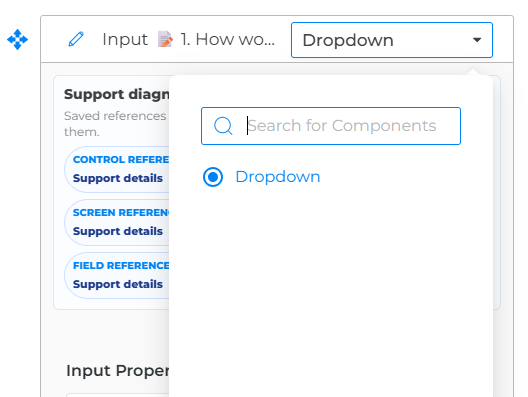
There is no setting to list those options on the form. A Notion Select field is added as a Dropdown. A Notion Multi-select field is added as a Multi Select.
Requirement
A maker can show the options on the form.
On the Dropdown or Multi Select component, under Behaviour, the maker can turn on Inline options.
When Inline options is on for a Dropdown, the options appear on the form as radio buttons. The person filling the form picks one option without opening a menu.
When Inline options is on for a Multi Select, the options appear on the form as checkboxes. The person can select more than one option without leaving the form.
Inline options stays off until the maker turns it on. Existing forms keep the menu or the separate screen, so published apps do not change on their own.
Required, default value, helper text, and the Notion Select or Multi-select property stay the same. Inline options work on the phone and on desktop.
Out of scope
This does not change the options stored in Notion. It does not let the person filling the form create a new option. It does not remove the menu or the separate screen for fields that leave Inline options off.
Acceptance
- With Inline options off, a Dropdown still opens a menu and a Multi Select still opens a separate screen.
- With Inline options on for a Dropdown, every option is visible on the form as a radio button, and only one can be selected.
- With Inline options on for a Multi Select, every option is visible on the form as a checkbox, and more than one can be selected.
- A required field still has to have a choice before the form can be submitted.
- A default option is already selected when the form opens.
- A form that has never turned Inline options on still uses the menu or the separate screen.