NotionApps has a cleaner, more organized builder experience for the screens and tools that teams use most often. This update focuses on reducing clutter, making key workflows easier to scan, and giving builders clearer controls for comments, databases, settings, and moderation.
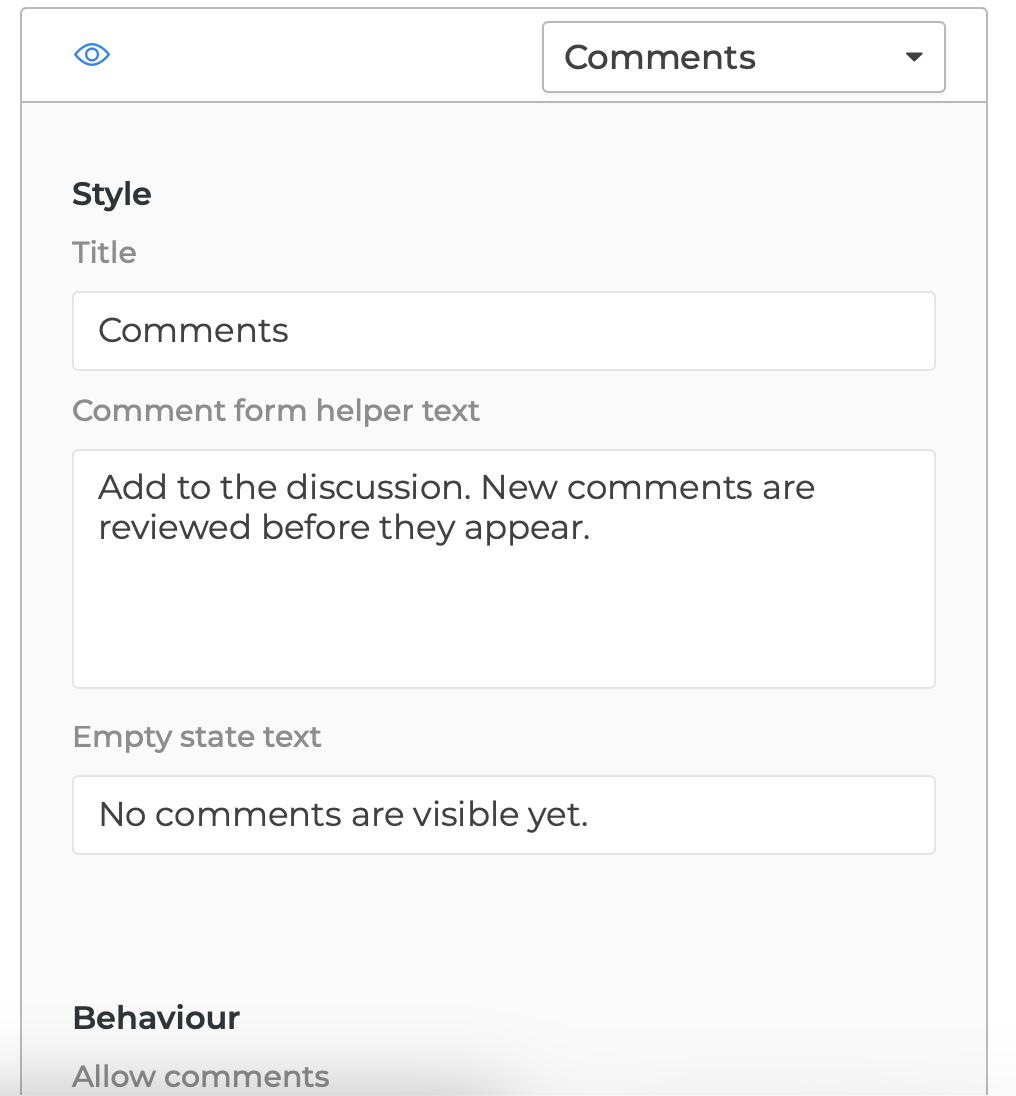
Users can also see the new Comments component that you can use either on the Detail View (one item) or Form View (one item).
We have refreshed several builder screens in NotionApps to make app management feel more focused, organized, and easier to extend over time.
Settings, Databases, and Comments (new feature) now use clearer tool-driven layouts, with dedicated panes for common workflows and more consistent page headings. Builders can move between related tools without losing context, while detailed panels stay contained and easier to scan.
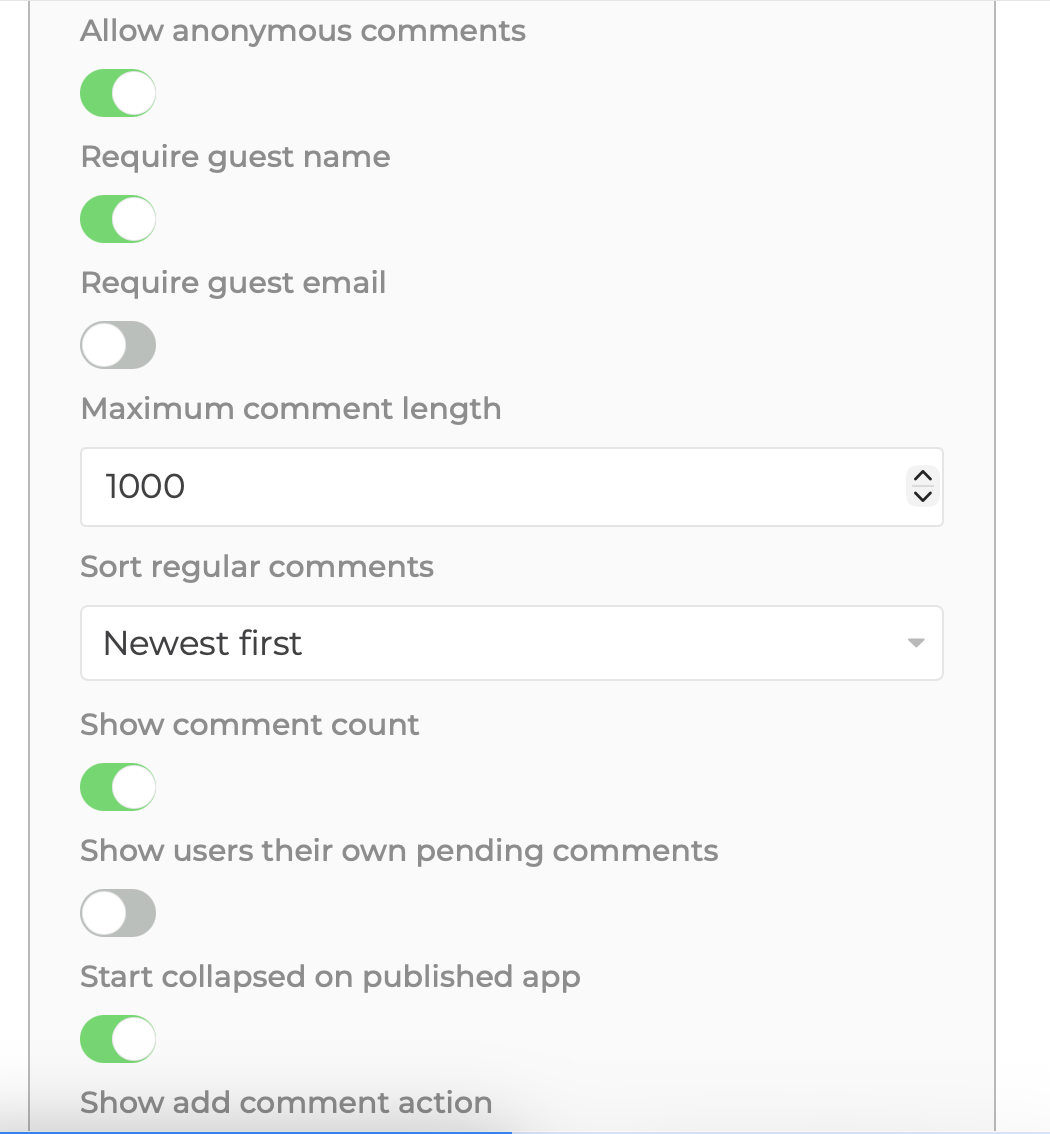
Published apps can now start with the comment section collapsed, giving end users a cleaner first view of the page. When someone wants to participate, they can open the comment panel with a simple add-comment action or reply directly from an approved comment.
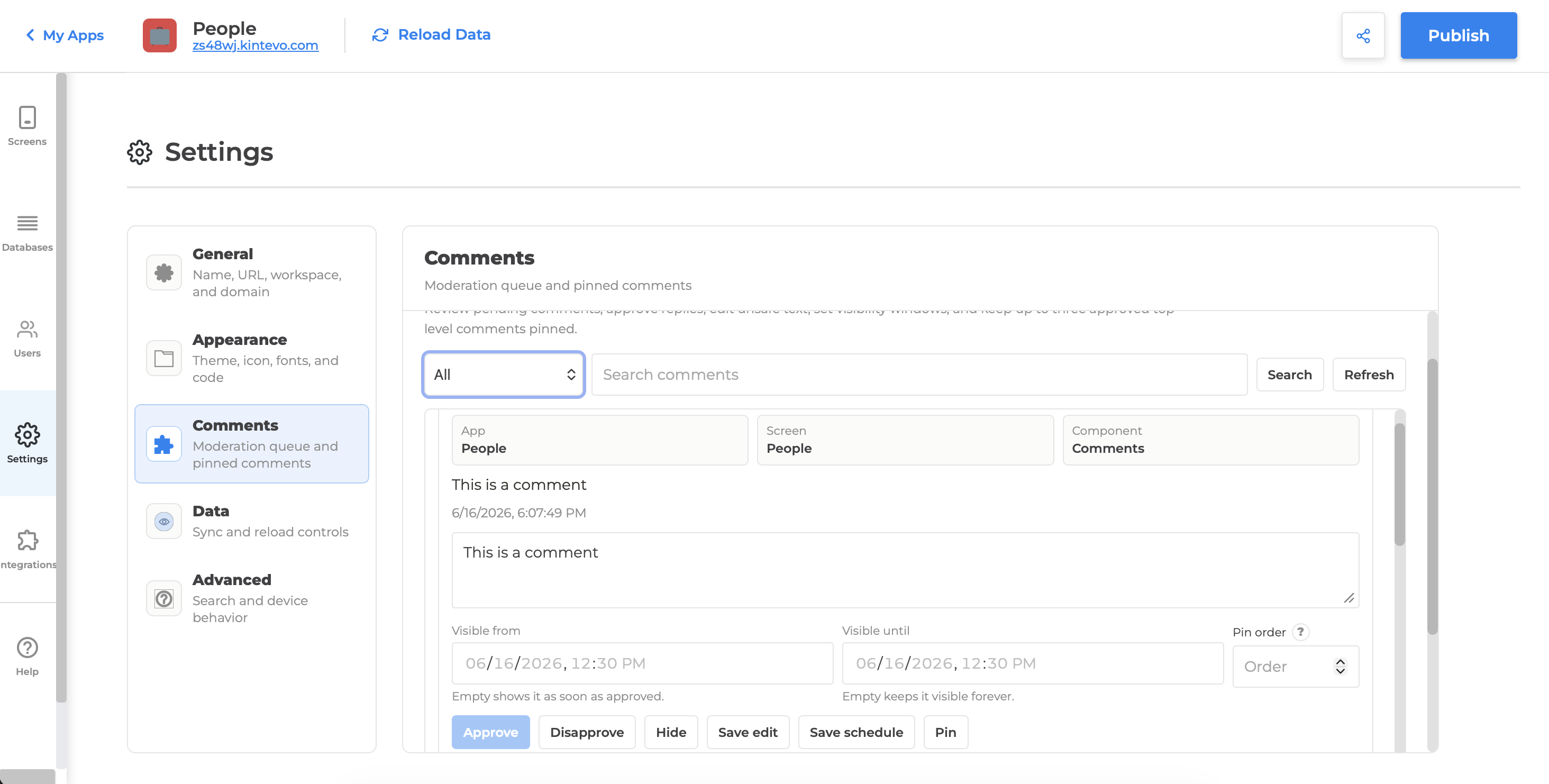
For teams moderating comments, the moderation experience is now more structured. Comments are displayed in a scrollable review pane, with clearer context about the associated app, screen, and component. Scheduling controls now explain that comments without an end date remain visible indefinitely, and pin ordering includes inline help so moderators understand how pinned comments are sorted.
Together, these updates make the builder feel more polished today while creating a stronger foundation for future screen-level tools.
What Changed
Settings: A Tool-Driven Layout
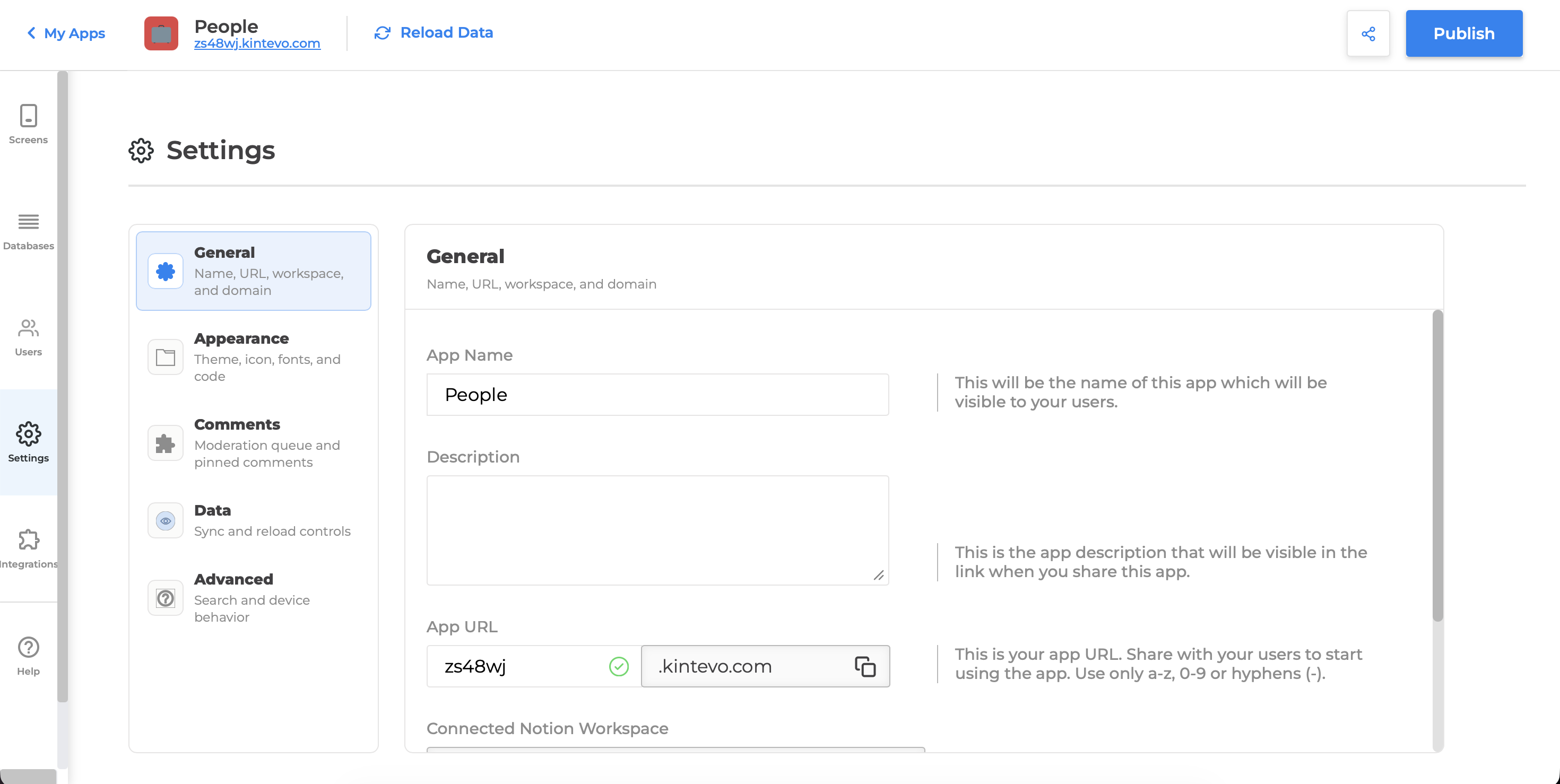
The Settings screen has been reorganized into focused panes instead of a long, increasingly crowded page.
- General: app name, URL, workspace, and domain settings.
- Appearance: theme, icon, fonts, custom CSS, and custom JavaScript.
- Comments: moderation queue and pinned comment controls.
- Data: sync and reload controls.
- Advanced: search indexing and device behavior.
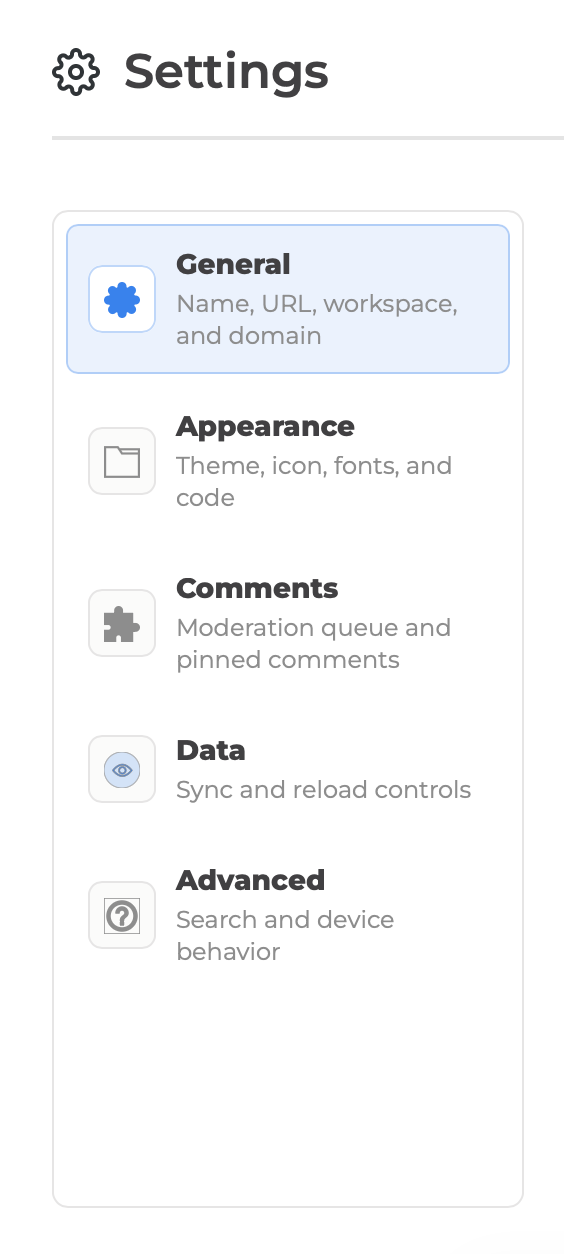
This gives builders a faster way to find the right setting and gives NotionApps room to add more tools later without making the page longer.
Databases: Tools Instead Of One-Off Sections
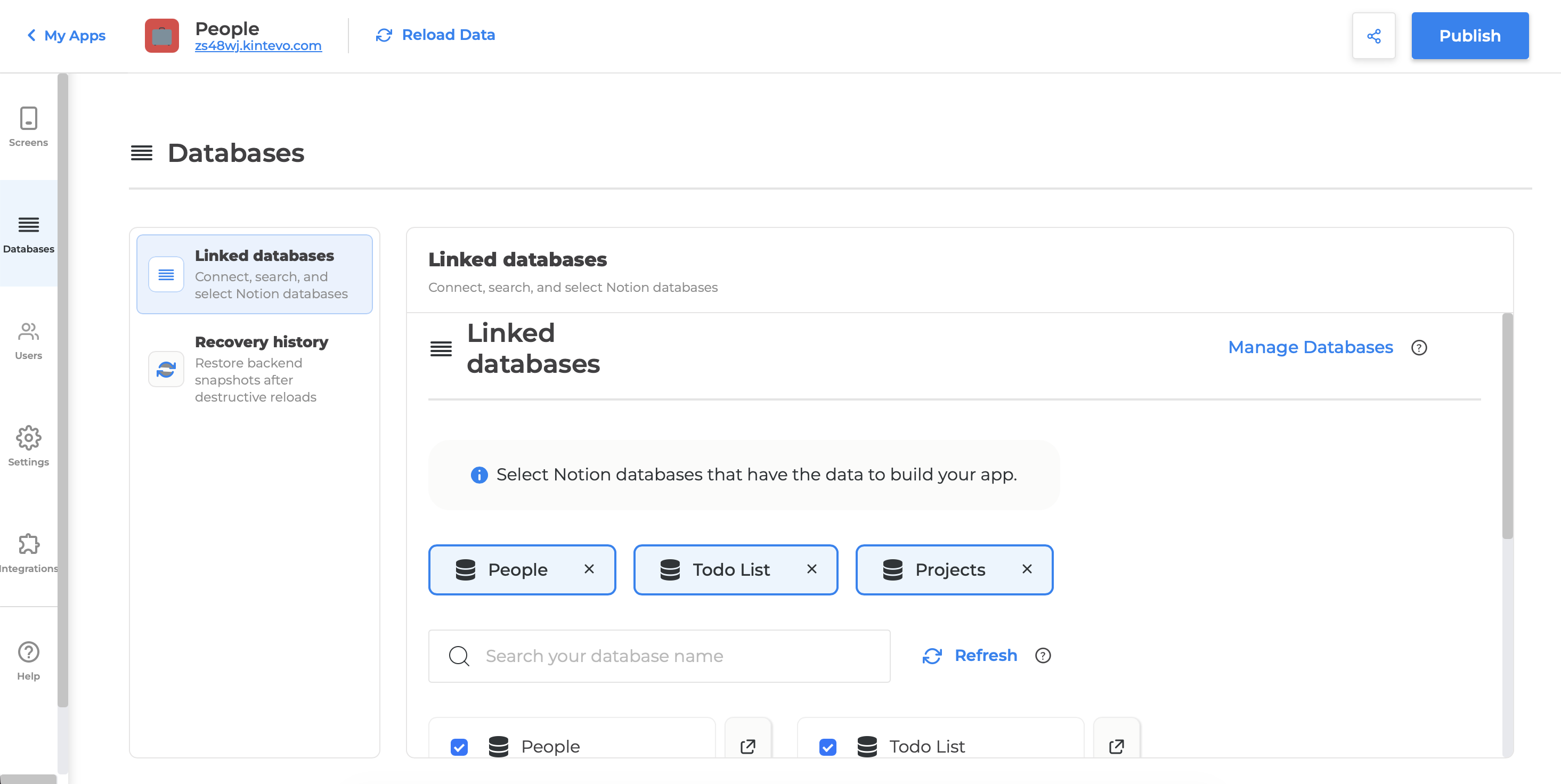
The Databases screen now follows the same tool-driven approach as Settings.
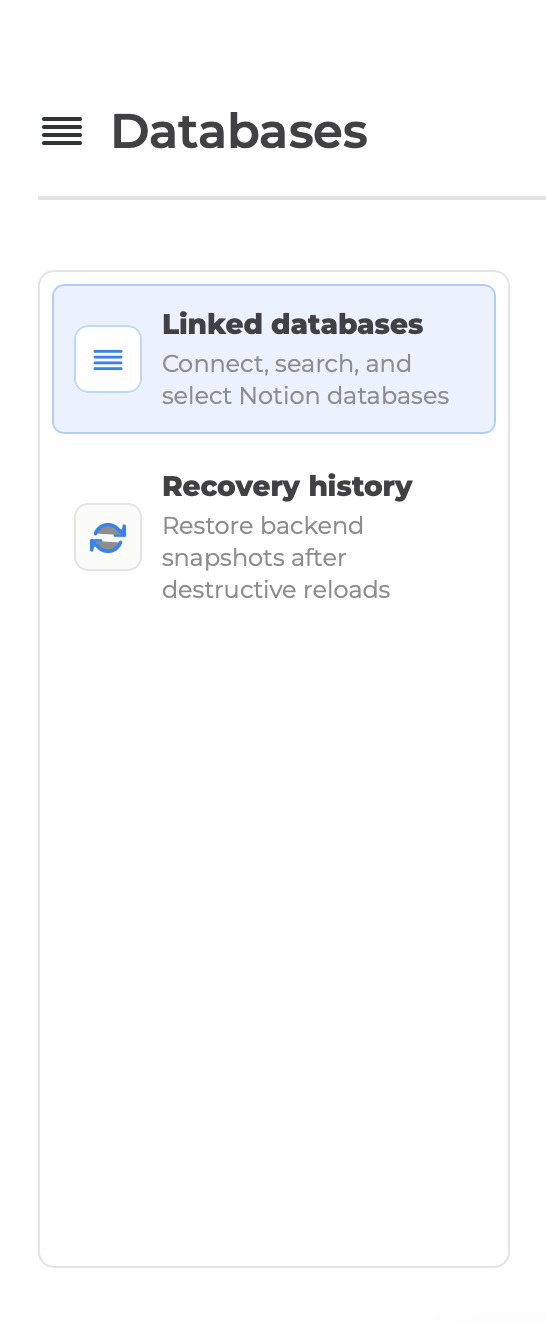
Builders can switch between database tools such as:
- Linked databases: connect, search, and manage Notion databases.
- Recovery history: review recovery events as a first-class tool instead of a secondary add-on.
This creates a consistent pattern across the builder and makes future database tools easier to introduce.
Comments Moderation: Clearer Review Workflows
The comments moderation panel is now designed for repeated review work.
- Comments display inside a vertical scrolling review pane, so long queues do not stretch the entire Settings page.
- Each moderation row includes app, screen, and component context.
- Visibility scheduling includes clearer helper text.
- Empty visibility end dates are explained as visible forever.
- Pin order now includes inline help that explains how ordering works.
- Moderators can approve, disapprove, hide, edit, schedule, pin, and unpin from a single review row.
Published Comments: A Cleaner End-User Experience
Published comment sections can now load in a collapsed state by default.
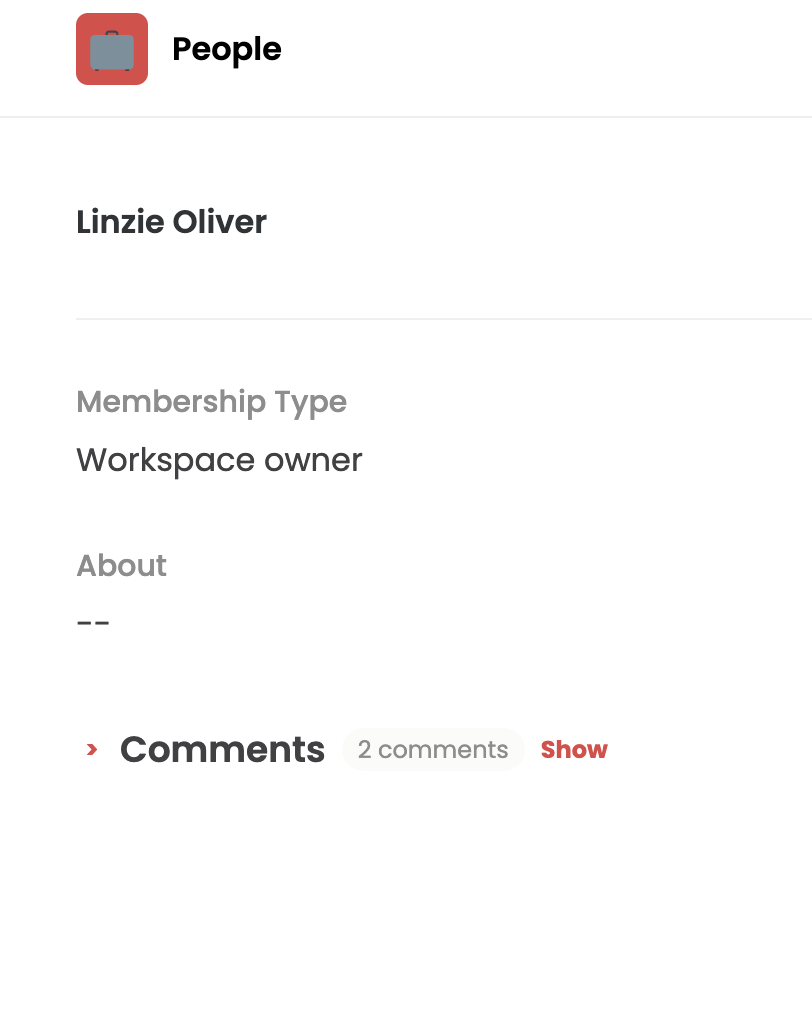
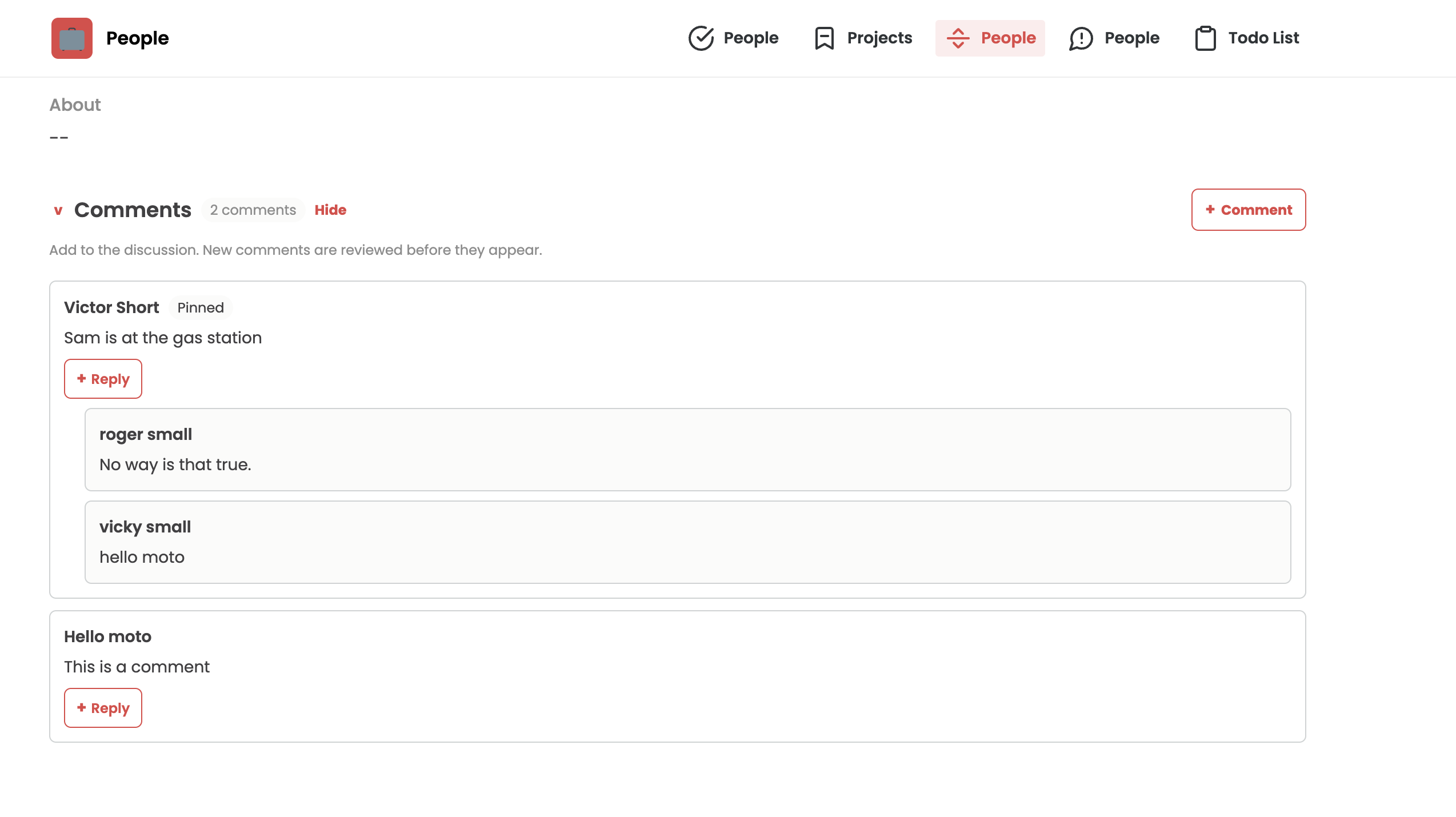
Builders can control:
- Whether the comment section starts collapsed or expanded.
- Whether the add-comment action is shown.
- Whether reply actions are shown.
For end users, this keeps the page cleaner on first load while still making participation easy through a visible add-comment action.
Platform Design Changes
These are the design-system-level changes introduced by the refresh:
Tool Pane Pattern
Settings and Databases now use a shared tool-navigation pattern: a left-side list of tools and a right-side active pane. This pattern supports denser admin-style workflows without turning the screen into a long vertical page.
Consistent Section Headers
Settings and Databases now use more consistent headers with an icon, title, and short description. This improves orientation and makes each builder area feel like part of the same platform.
Icon-Led Navigation
Builder tool menus now use icons next to menu items. This improves scannability and gives each tool a recognizable visual anchor.
Scroll-Contained Work Areas
Long operational surfaces, especially comments moderation, now use contained scrolling panes. This keeps the surrounding builder layout stable even when there are many comments or moderation records.
Context-Rich Rows
Moderation rows now expose contextual metadata directly in the workflow: app, screen, component, parent comment, status, schedule, and pin state. This reduces guesswork for builders and moderators.
Progressive Disclosure For Published Comments
Published comment sections now support a collapsed-first presentation. This applies a progressive disclosure pattern to comments, keeping published pages visually lighter while preserving participation.
Future-Ready Tool Structure
The Databases screen was reworked to support additional tool-like functions later. New database utilities can be added as panes instead of being appended as disconnected sections.
Suggested Release Note Summary
Screen management is now cleaner and more tool-driven across NotionApps. Settings and Databases have been reorganized into focused panes, Recovery History is now treated as a first-class database tool, comments moderation is easier to review at scale, and published comment sections can start collapsed with clearer add-comment and reply actions.
Suggested In-App Banner
New: Cleaner builder tools for Settings, Databases, and Comments. Manage screen settings, linked databases, recovery history, and comment moderation from focused panes built for faster scanning and future tools.
Suggested Help Center Callout
Tip: Use the Comments component settings to choose whether published comment sections start collapsed or expanded. You can also control whether visitors see add-comment and reply actions.